Introduction
Hubble is a user's primary access point for an Orion project. From here users can use the active Orion services. Such as Kuiper to launch and connect to workloads.
Navigation
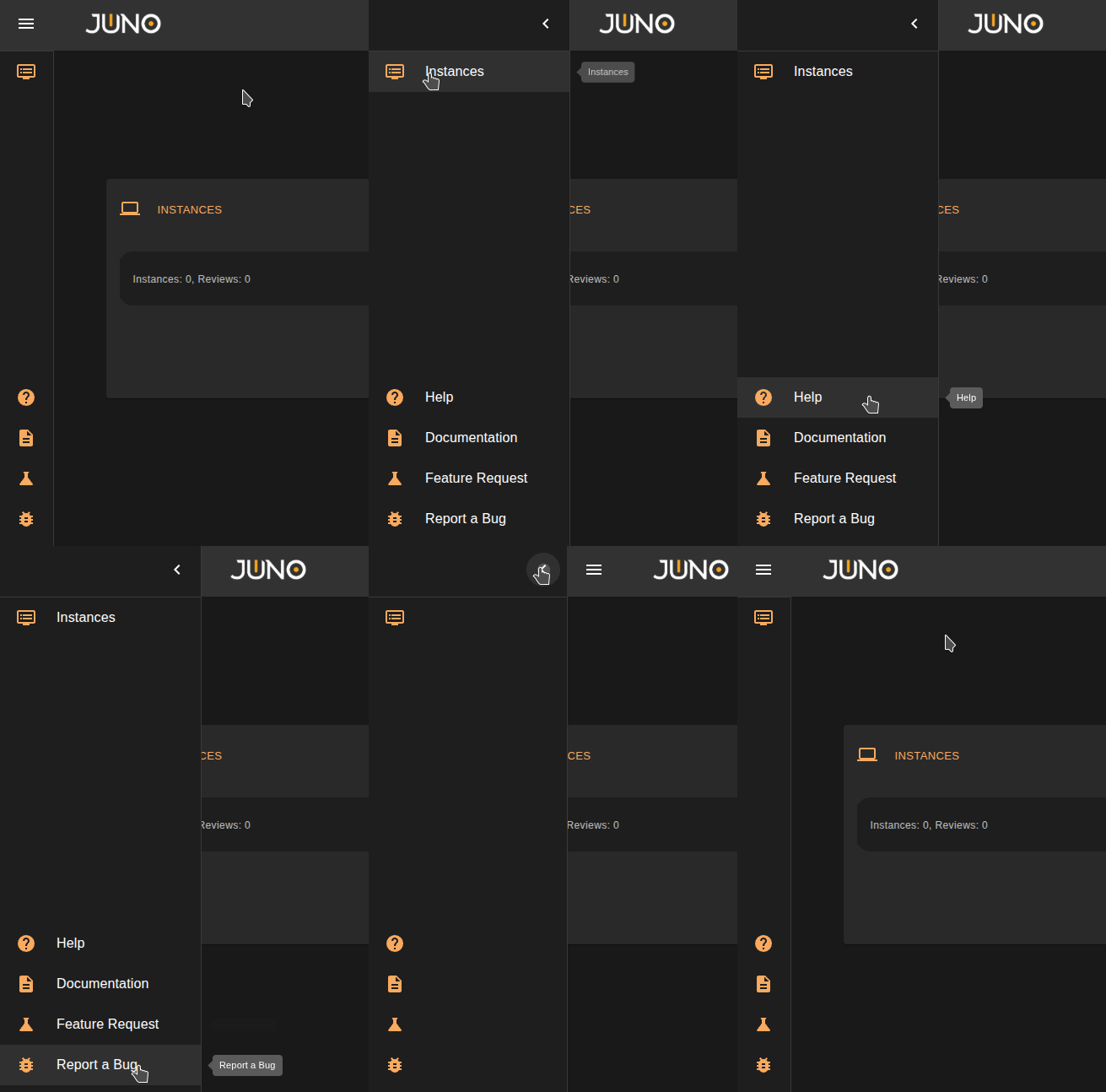
On the left side of the screen, users will find a sidebar. To expand it, click the icon in the top-left corner of the page. To collapse the sidebar, click the arrow at the top. The sidebar contains links to active services and help resources. You can also click the Juno logo to return to the Hubble homepage.
Help Resources
These links are located at the bottom of the sidebar.
| Link Name | Definition |
|---|---|
| Help | Starts a help stepper that will guide you on how to use the main functionalities of the Hubble UI. |
| Documentation | Links you to our Official Orion Documentation. |
| Support | Links you to our support request form |
| Sales | Links you to our sales request form. |
User Menu
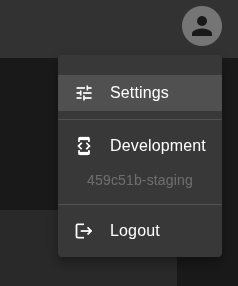
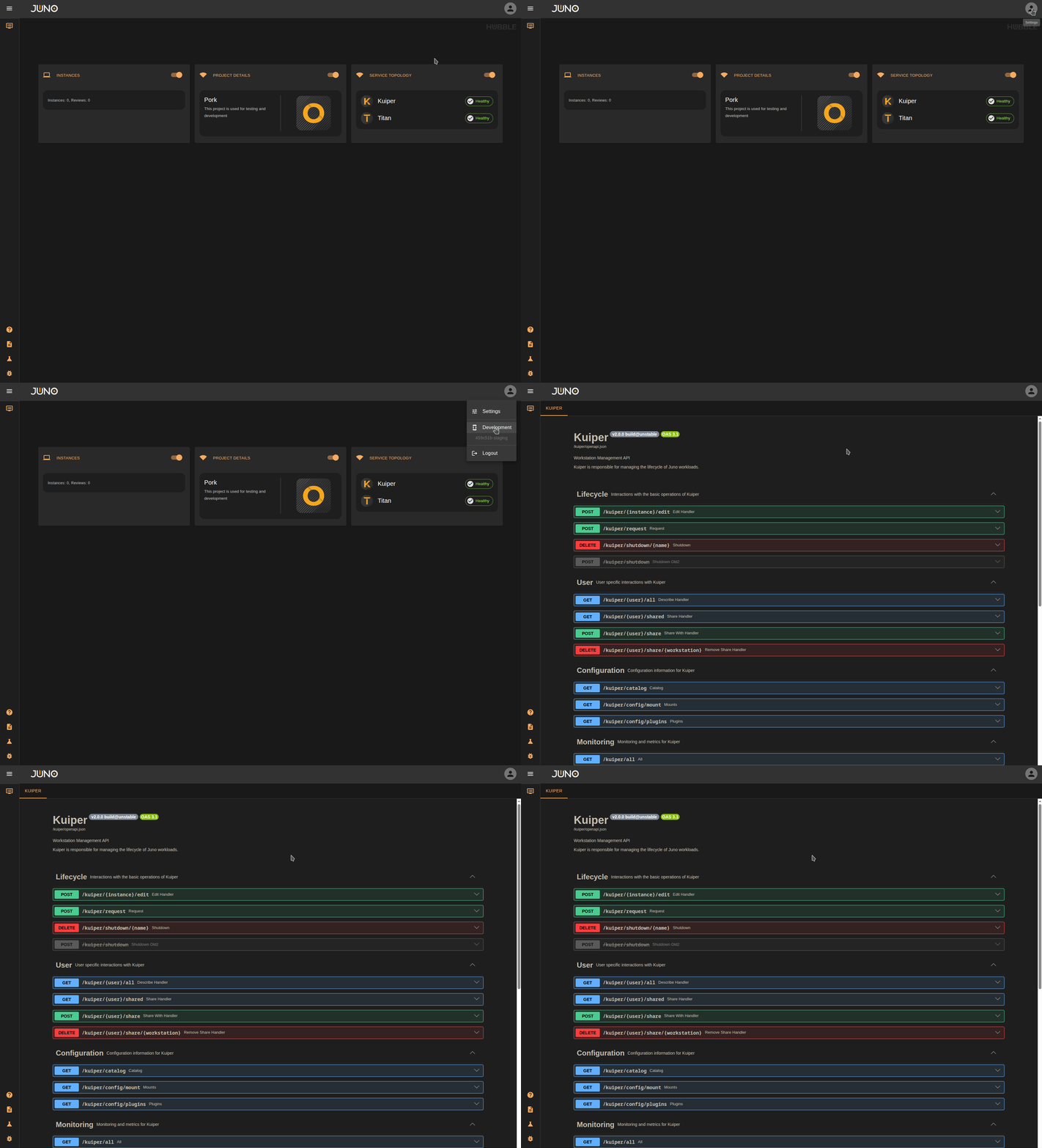
On the top right of the UI, You can open the user menu by clicking the user icon. The menu gives you the ability to navigate to the settings page, development page, and logout.
Settings page
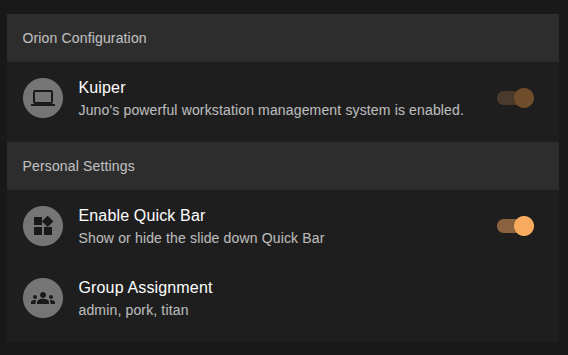
The settings page shows which services are currently enabled, lets you enable or disable the quickbar, and displays the groups to which you are assigned.
Development Page
We use FastAPI under the hood for our services. You can navigate to our development page to directly use the FastAPI Swagger UI to hit our services. Each service is available specifically to admin users or users assigned to the respective group. This can be used for testing or development purposes.
Dashboard Widgets
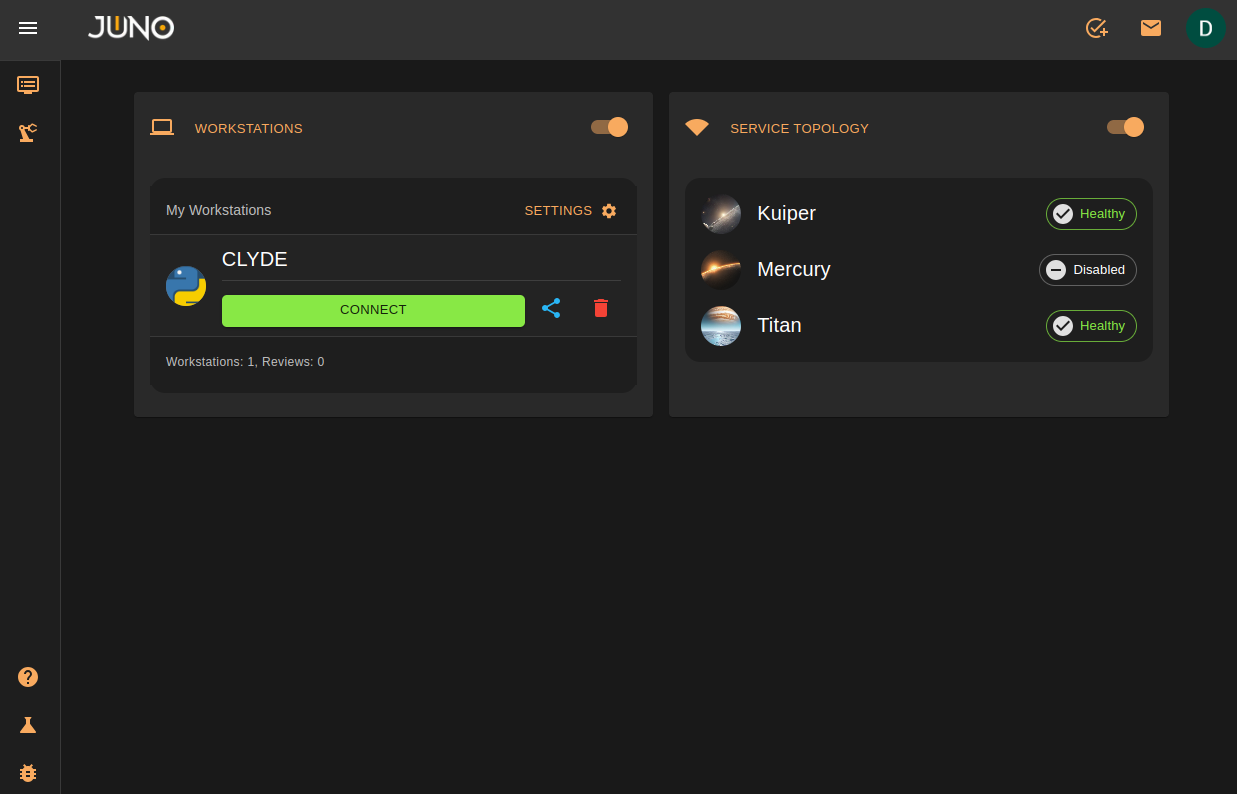
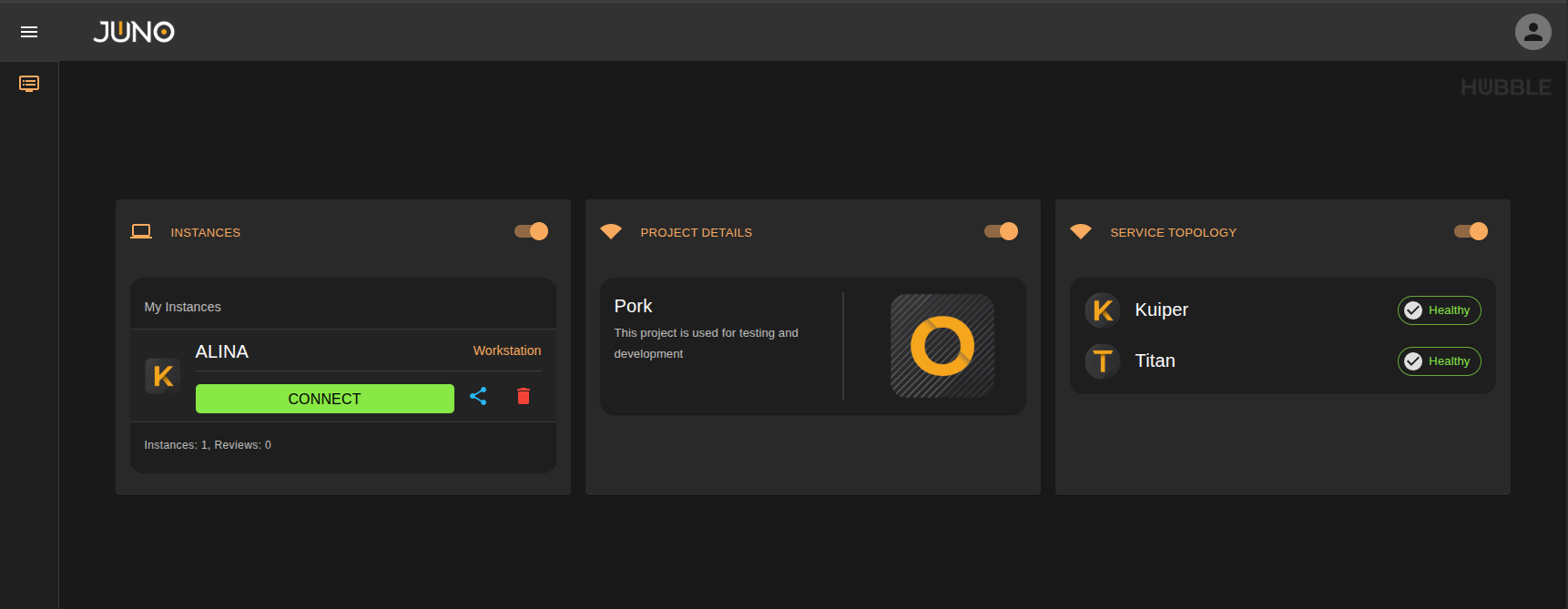
The homepage of hubble will have widgets displayed for the services currently active. These are used for quick access/viewing.
Workloads
This widget lets you quickly connect to any running workload and delete workloads directly from the widget. It also lets you share and connect to other workloads that are being shared with you. This is available in the quickbar as well.
Project Details
This widget displays the project's name, description, and associated icon.
Service Topology
This widget displays the health status of services. Services that are running are shown as healthy; services that are down are shown as unhealthy. This is available in the quickbar as well.